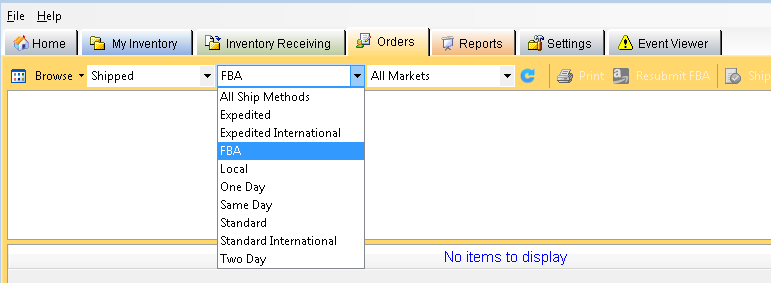
To view Fulfillment by Amazon (FBA) orders and order items
Click the
Orders
tab, and then click the
Browse
button.
In the
Ship Methods
list, click
FBA
.
In the
Order Items
pane for each of your orders, you can see a
Fulfillment Type
and
Fulfillment Status
column.
In the Fulfillment Type
column, you can see either:
FBA
Local
In the
Fulfillment Status
column, you can see:
In process (submitted to Amazon, but not yet shipped)
Shipped
Problem order
See also
Troubleshooting FBA Problem Orders
Using FBA
FBA Overview
Checklist: Create an FBA Shipment Using Monsoon Marketplace